Tamil Nadu (TN) eProcurement Registration, Login & Tender Charges: Complete Guide -TN Tenders
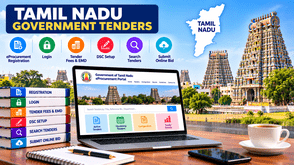
Tamil Nadu offers a wide range of government tender opportunities for contractors, manufacturers, suppliers, service providers, and businesses. These opportunities are published by various state government departments, public sector organizations, local bodies, and other procuring authorities.
Businesses looking to participate in these opportunities can use the Tamil Nadu Government tender and eProcurement Portal to search tender notices, download tender documents, complete bidder registration, and submit bids online.
However, before applying for a tender, bidders should understand the registration process, Digital Signature Certificate (DSC) requirements, tender fees, Earnest Money Deposit (EMD), document preparation, and online bid submission procedure.
This guide explains how to use the Tamil Nadu eProcurement portal and prepare for government tender participation.
1. What Is Tamil Nadu eProcurement?
Tamil Nadu eProcurement is the official online platform used by participating government departments and organizations to publish tender opportunities and receive electronic bids.
The portal allows registered bidders to:
-
Search active Tamil Nadu government tenders.
-
View tender notices and detailed specifications.
-
Download tender documents and schedules.
-
Check eligibility requirements and submission deadlines.
-
Complete online bid submission.
-
Upload technical and financial documents.
-
Submit tender fees and EMD through the payment methods specified in the tender.
-
Check corrigenda and tender results.
Businesses can use the portal to identify procurement opportunities across different departments and sectors.
2. How to Register on the Tamil Nadu eProcurement Portal
Businesses must complete online bidder enrollment before submitting bids through the Tamil Nadu eProcurement portal.
Follow these steps:
Step 1: Visit the official portal.
Open the Tamil Nadu Government Procurement website:
tntenders.gov.in
Step 2: Select Online Bidder Enrollment
On the homepage, find the Online Bidder Enrollment option and open the registration form.
Step 3: Enter business and contact details.
Provide the required information, which may include:
-
Company or firm name.
-
Registered business address.
-
Contact person's details.
-
Valid email address.
-
Mobile number.
-
Login ID and password.
-
Other information requested in the registration form.
Use an active email address and mobile number because portal communications may be sent to these registered contacts.
Step 4: Create your login credentials.
Choose a unique login ID and a secure password. Keep these credentials safe for future access.
Step 5: Submit the registration form.
Review the information carefully and submit the form. After successful registration, use the registered credentials to log in.
Step 6: Register your digital signature certificate.
After logging in, complete DSC enrollment using your USB e-token. Successful DSC mapping completes the online enrollment process.
Official registration instructions are available here:
tntenders.gov.in
3. Is Tamil Nadu eProcurement Registration Free?
According to the official portal FAQ, NIC does not charge bidders for online enrollment. However, the FAQ also notes that charges may depend on the organisation's policy.
Therefore, bidders should distinguish between the following costs:
| Charge | Explanation |
|---|---|
| Online bidder enrollment | NIC does not charge for enrollment; organization policy may apply. |
| Tender document fee | Applicable only when specified in the tender. |
| EMD | Depends on the individual tender conditions. |
| Processing or transaction charges | May apply according to the specified payment process. |
| DSC purchase or renewal | Charged by the selected Certifying Authority. |
Important: Do not assume that every Tamil Nadu tender has the same charges. Always check the tender notice and complete the tender document for the applicable fees, EMD, and payment instructions.
4. How to Log in to Tamil Nadu eProcurement
After successful bidder registration and DSC enrollment, bidders can access their accounts.
Follow these steps:
-
Visit tntenders.gov.in
-
Select the login option.
-
Enter your registered login ID.
-
Enter your password.
-
Connect the registered DSC e-token when required.
-
Complete the authentication process.
-
Access your bidder dashboard.
The portal uses the registered user credentials and digital signature certificate for secure bidder access.
If you face login or DSC-related problems, check the official FAQ and contractor help section.
5. Digital Signature Certificate (DSC) Requirements
A digital signature certificate is an important requirement for online tender participation. It helps authenticate the bidder and digitally sign documents submitted through the portal.
The Tamil Nadu eProcurement FAQ specifies a Class 3 DSC with a signing certificate for bidder enrollment.
How to Register a DSC
-
Obtain a valid DSC from a recognized certifying authority.
-
Install the required token drivers and supporting software.
-
Connect the USB e-token to your computer.
-
Log in to the Tamil Nadu eProcurement portal.
-
Open the DSC enrollment option.
-
Select the certificate available in your token.
-
Complete the mapping process.
The portal's contractor instructions list authorized certifying authorities such as eMudhraCA, GNFC, IDRBT, MTNL Trustline, SafeScrypt, and TCS.
Important DSC Precautions
-
Use a valid DSC issued to the bidder or authorized business representative.
-
Do not share your DSC token or PIN with unauthorized persons.
-
Ensure the DSC is active before the bid submission deadline.
-
Check certificate validity well in advance.
-
A DSC once mapped to an account cannot be remapped to another account; it can only be inactivated.
-
A DSC belonging to one company or agency should not be used to submit bids for another company.
For detailed instructions, visit the portal's Help for Contractors section.
6. How to Search Tamil Nadu Government Tenders
The portal provides different search options to help bidders find relevant opportunities.
You can search tenders using details such as
-
Tender ID or reference number.
-
Organization or department name.
-
Tender location.
-
Publication date.
-
Closing date.
-
Tender value.
-
Keywords related to products or services.
Steps to Find Active Tenders
-
Open the Tamil Nadu eProcurement portal.
-
Select Active Tenders or the tender search option.
-
Enter the relevant search criteria.
-
Select the appropriate filters.
-
Review the matching tender notices.
-
Open the tender details.
-
Download the available documents and schedules.
-
Check the eligibility conditions and submission deadline.
The portal also provides advanced search options that allow bidders to combine multiple search parameters.
Tip: Search using both product-specific and service-specific keywords. For example, a supplier dealing in electrical equipment can search for electrical items, cables, transformers, panels, and related procurement requirements.
7. Tamil Nadu Tender Fees, EMD, and Payment Process
Before submitting a bid, bidders must carefully review the financial requirements mentioned in the tender document.
Different departments and organizations may specify different fees and payment methods.
Tender Document Fee
Some tenders require bidders to pay a tender document fee. Other tenders may not have this requirement.
Check the tender notice for the applicable amount and payment instructions.
Earnest Money Deposit (EMD)
EMD is a security deposit required for certain tenders to demonstrate the bidder's seriousness and commitment.
Depending on the tender conditions, EMD may be submitted through specified online or other permitted payment methods.
Online Payment
The payment procedure depends on the individual tender and the options enabled by the procuring organization.
Before making a payment, verify:
-
Applicable tender fee.
-
Required EMD amount.
-
Accepted payment method.
-
Payment deadline.
-
Bank details or payment gateway instructions.
-
Exemption conditions, if any.
Keep the payment acknowledgement or transaction receipt for future reference.
Important: An incorrect EMD amount, incomplete payment, or failure to follow the prescribed payment method may result in bid rejection.
8. How to Submit an Online Tender in Tamil Nadu
Once registration and DSC enrollment are complete, bidders can prepare and submit their bids.
The online bidding process generally involves the following stages.
Step 1: Select the Tender
Log in to the portal and open the tender you want to participate in.
Read the complete tender document before proceeding.
Step 2: Check Eligibility Criteria
Review all eligibility and qualification requirements, including:
-
Company registration details.
-
Relevant work experience.
-
Financial turnover.
-
Technical qualifications.
-
GST and PAN details, where applicable.
-
Required licenses and certifications.
-
Previous work orders and completion certificates.
-
Other department-specific conditions.
Apply only when your business meets the specified requirements.
Step 3: Prepare Technical Documents
Prepare the documents requested by the department. These may include:
-
Company profile.
-
PAN card.
-
GST registration certificate.
-
Business registration documents.
-
Financial statements.
-
Turnover certificates.
-
Experience certificates.
-
Work orders.
-
Technical specifications.
-
Product catalogues.
-
Authorisation certificates, where required.
The exact documents depend on the tender.
Step 4: Upload Documents
Use the document upload sections to attach the required files.
The portal also provides a My Documents facility, where bidders can upload commonly required certificates and purchase order details in advance and select them during bid preparation.
Check that every uploaded file is readable and correctly named.
Step 5: Complete the Financial Bid or BOQ
Download the prescribed Bill of Quantities (BOQ) template, if provided.
Enter the required financial information only in the appropriate fields.
Do not change the BOQ file name, sheet name, format or protected structure unless the tender instructions explicitly permit it. The portal's FAQ warns bidders against changing BOQ file or sheet names and advises entering values only in the designated spaces.
Step 6: Complete Tender Fee and EMD Requirements
Pay the applicable tender fee and EMD using the method specified in the tender document.
If offline EMD is permitted or required, ensure the physical payment document and scanned copy uploaded with the bid contain matching details.
Step 7: Review the Complete Bid
Before final submission, verify:
-
All mandatory documents are uploaded.
-
Technical information is correct.
-
Financial values are accurate.
-
EMD and tender fee requirements are fulfilled.
-
DSC is valid and working.
-
No required declaration has been missed.
Step 8: Freeze the Bid
The final step is to click the Freeze Bid button.
The official contractor instructions clearly state that bids not frozen are treated as incomplete or invalid and are not considered for evaluation.
After successful submission, the system displays a bid summary containing the bid number and submission date and time.
Save or print this summary as proof of submission.
9. Common Mistakes to Avoid While Applying for Tamil Nadu Tenders
Many bidders lose opportunities because of avoidable mistakes during the bidding process.
Here are some important points to remember:
1. Incomplete registration: Ensure that bidder enrolment and DSC mapping are completed before starting the bid process.
2. Incorrect DSC: Use the DSC mapped to the correct bidder account.
3. Ignoring eligibility conditions: Read the technical and financial qualification criteria carefully.
4. Missing tender deadlines: Submit bids well before the closing date and time.
5. Incorrect EMD details: Verify the amount, payment method and supporting documents.
6. BOQ modification: Do not change the prescribed BOQ structure or file and sheet names.
7. Missing corrigenda: Check whether the department has issued any amendments or clarifications.
8. Forgetting to Freeze Bid: An uploaded but unfrozen bid is incomplete or invalid.
9. Last-minute uploads: Avoid waiting until the final minutes, as internet, computer or token-related issues can delay submission.
10. Incorrect documents: Ensure that uploaded certificates and supporting records are valid, clear and consistent with the information in the bid.
10. How Tender Detail Helps Businesses Find Tamil Nadu Tenders
Searching for relevant government tenders across multiple departments can take considerable time. Businesses also need to evaluate eligibility, tender value, deadlines and documentation requirements before deciding to participate.
Tender Detail helps businesses discover relevant tender opportunities and organise their tender research.
With Tender Detail, businesses can explore:
-
Tamil Nadu government tender opportunities.
-
Department-wise tender information.
-
Product and service-based tender searches.
-
Tender notices and important dates.
-
Tender-related updates and corrigenda.
-
Opportunities across different states and sectors.
Businesses can also explore services such as AI-powered tender search, competitive bid analysis, expert documentation and end-to-end tender bidding consultancy.
Visit https://www.tenderdetail.com/ to explore available tender information and services.
11. Frequently Asked Questions About Tamil Nadu eProcurement
Q1. What is the official Tamil Nadu eProcurement portal?
The official Tamil Nadu Government eProcurement portal is https://tntenders.gov.in/nicgep/app.
Q2. How can I register for Tamil Nadu government tenders?
Visit the official portal, select Online Bidder Enrollment, complete the registration form, create your login credentials and map your Digital Signature Certificate.
Q3. Is Tamil Nadu eProcurement registration free?
The official FAQ states that NIC does not charge bidders for online enrolment. However, organisation-specific policies may apply.
Q4. Which DSC is required for Tamil Nadu eProcurement?
The portal FAQ specifies a Class 3 DSC with a Signing Certificate for bidder enrolment. Check the current portal instructions and individual tender requirements before obtaining or renewing a certificate.
Q5. How can I find active government tenders in Tamil Nadu?
Visit the official portal and use Active Tenders or the search facility. You can search using tender ID, department, location, date, value and relevant keywords.
Q6. What is the EMD amount for Tamil Nadu tenders?
There is no single fixed EMD amount for all tenders. The amount and permitted payment method are specified in each tender document.
Q7. Can I download Tamil Nadu tender documents online?
Yes. Tender notices and available tender schedules can be accessed through the official portal. Check the individual tender for any applicable document fee or access conditions.
Q8. Can I use one DSC for multiple companies?
A DSC mapped to one bidder account cannot be freely remapped to another account. The portal FAQ also states that one agency's DSC cannot be used to upload bids for another company or agency.
Q9. What happens if I do not click Freeze Bid?
According to the official contractor instructions, a bid that is not frozen is considered incomplete or invalid and is not considered for evaluation.
Q10. Can I modify my bid after submission?
The portal FAQ explains that bidders may modify and resubmit bids before the closing date and time, subject to the options enabled by the procuring entity. After the deadline, changes are not permitted.
Q11. What should I do if my DSC is not recognised?
Check the token connection, certificate validity, token drivers and portal DSC instructions. The official FAQ notes that activation of a newly issued DSC may take up to 24 hours, so bidders should avoid last-minute enrolment.
Q12. Where can I find help for online bid submission?
Visit the official Help for Contractors page:
tntenders.gov.in
You can also refer to the FAQ and Bidders Manual Kit available on the portal.
12. Conclusion
Tamil Nadu offers government procurement opportunities across several departments and business sectors. To participate successfully, businesses should complete their eProcurement registration, map a valid DSC, understand tender eligibility requirements and prepare all documents before the submission deadline.
Careful review of tender fees, EMD, corrigenda and BOQ instructions can help reduce common bidding errors. Most importantly, always complete the final Freeze Bid step and save the bid submission summary.
For businesses looking to discover relevant opportunities across Tamil Nadu and other Indian states, Tender Detail can support tender searching, competitive bid analysis and bidding-related requirements.
Tell us about your Product / Services,
We will Find Tenders for you