Odisha eProcurement Registration, Login & Tender Charges: Complete Guide -Tenders Odisha
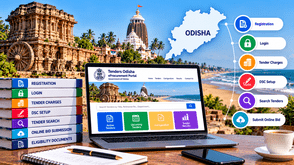
Odisha eProcurement provides an online platform for government tendering, helping contractors, suppliers, service providers, and businesses discover procurement opportunities and submit bids electronically. If you want to participate in Odisha government tenders, understanding bidder registration, login, tender charges, Digital Signature Certificate (DSC) requirements, and online bid submission is essential.
The official Odisha eProcurement portal allows users to search tender notices, download tender schedules, review corrigendums, and access tender-related information. This guide explains the main steps to help you prepare for the online bidding process.
What Is the Odisha eProcurement Portal?
The Odisha eProcurement portal is an online system used by participating government departments and organizations to publish tender opportunities and receive bids electronically.
Official portal: www.tendersodisha.gov.in
The portal provides access to:
-
Latest Odisha government tenders
-
Active and upcoming tenders
-
Tenders by location, organization, and classification
-
Tender notices and bid schedules
-
Corrigendum and tender amendments
-
Tender results and archived tenders
-
Cancelled and retendered opportunities
Contractors should review the complete tender notice and related documents before deciding to participate. Eligibility criteria, payment requirements, and submission procedures may vary by tender.
Documents Required for Odisha eProcurement Registration
Before beginning bidder enrollment, prepare your business information and relevant documents. The exact requirements depend on the bidder category, procurement type, and applicable registration rules.
Commonly requested details may include:
-
Business or organization name
-
Name and contact details of the authorized representative
-
Valid email address and mobile number
-
Registered business address
-
PAN details
-
Business registration certificate, where applicable
-
GST registration details, where applicable
-
Digital Signature Certificate (DSC)
-
Contractor license or registration, where required
-
Experience certificates and work orders, where required
-
Financial statements and other tender-specific documents
The Odisha portal may require bidder details and supporting documents to be verified before participation. Certain tenders may also require registration with the relevant state department or authority.
Keep your information accurate and consistent across your registration details, certificates, and tender submissions.
How to Register on Odisha eProcurement
Contractors and suppliers need to complete the online bidder enrollment process before participating in tenders through the portal.
Step 1: Visit the official portal.
Open www.tendersodisha.gov.in in your browser.
Step 2: Select Online Bidder Enrollment
On the homepage, look for the online bidder enrollment option and open the registration form.
Step 3: Enter your details.
Provide the requested user, business, and contact information. Use an active email address because it may be used as your login ID and for official communication.
Step 4: Complete the registration form.
Enter the required information carefully and complete any verification steps displayed by the portal.
Step 5: Submit the form.
Review your details before submitting the enrollment form. Save your login credentials securely.
Step 6: Log in to your account.
After successful enrollment, log in using your registered user ID and password.
Step 7: Enrol your DSC.
Follow the portal's Digital Signature Certificate enrolment instructions using the required e-token. Complete this step before attempting to submit an online bid.
The official Odisha portal's FAQ explains that online enrolment and DSC mapping are separate steps. Depending on the bidder and procurement requirements, additional verification may also be necessary.
Odisha eProcurement Login Process
Once registered, bidders can access the portal using their credentials and registered Digital Signature Certificate.
Follow these steps:
-
Visit the official Odisha eProcurement website.
-
Select the login option.
-
Enter your registered user ID and password.
-
Connect your registered DSC token.
-
Complete the authentication steps requested by the portal.
-
Navigate to the relevant tender listing and review available opportunities.
If you experience login problems, check your credentials, DSC validity, token connection, and required software. If the problem continues, consult the portal's official FAQ or contractor help section.
Odisha Tender Charges, Tender Fees, and EMD
Understanding tender-related costs helps businesses prepare realistic budgets before participating in government procurement.
The official Odisha eProcurement portal states that tender schedules can be downloaded free of cost. However, downloading a tender schedule for free does not mean that every tender is free to participate in.
1. Tender Document Fee
The tender document fee, if applicable, is specified in the relevant tender notice. Check the tender documents for the amount and accepted payment method.
2. Earnest Money Deposit (EMD)
EMD is a bid security requirement that is specified by the tendering authority. Its amount, payment method, submission deadline, and exemption conditions depend on the individual tender.
If an exemption is permitted, bidders must provide the supporting documents specified in the tender conditions.
3. Processing or Other Applicable Charges
Some tenders may specify additional charges or payment requirements. Review the complete tender documents to understand the financial obligations associated with your bid.
4. Digital Signature Certificate Cost
A DSC may be required for online authentication and signing. Its cost depends on the certificate provider, validity period, and applicable requirements.
How to Check Odisha Tender Charges
Before submitting a bid:
-
Search for the relevant tender on the official portal.
-
Open and download the tender schedule.
-
Read the tender fee and EMD sections.
-
Check payment instructions and deadlines.
-
Verify whether any exemption applies to your bidder category.
-
Keep payment confirmations and supporting documents ready.
Important: Do not assume that all Odisha government tenders have the same charges. The tender notice and applicable procurement rules determine the requirements for each opportunity.
Digital Signature Certificate (DSC) for Odisha Tenders
A digital signature certificate helps authenticate a bidder and digitally sign documents during electronic tendering.
The Odisha eProcurement portal's FAQ specifies a Class 3 DSC with a signing certificate for bidder enrollment. Check the latest portal instructions before purchasing a certificate, as requirements can depend on the current system and the type of transaction.
Before participating in a tender, verify the following:
-
Your DSC meets the portal's current requirements.
-
The certificate is valid and has not expired.
-
The DSC is correctly mapped to your bidder account.
-
Your e-token and required software are functioning properly.
-
The authorized signatory details are accurate.
The official contractor instructions state that a DSC mapped to one account cannot be remapped to another account; it can only be inactivated. Therefore, take care when completing DSC enrollment.
If your certificate is expired or replaced, follow the portal's instructions for enrolling the replacement certificate.
How to Search Odisha Government Tenders
Finding relevant tender opportunities is an important part of the bidding process. Contractors should focus on tenders that match their products, services, experience, and eligibility.
Follow these steps:
Step 1: Visit www.tendersodisha.gov.in.
Step 2: Open the tender search or listing section.
Step 3: Search using relevant keywords or the tender reference number.
Step 4: Use the available options to explore tenders by location, organization, or classification.
Step 5: Review the department, work description, important dates, and eligibility criteria.
Step 6: Download the tender documents and check the technical, financial, and payment requirements.
Step 7: Review the latest corrigendums before preparing your bid.
The portal also provides access to tender results, archives, and cancelled or retendered opportunities. Checking these sections can help bidders understand tender status and avoid relying on outdated notices.
How to Submit an Online Bid in Odisha
Online bid submission requires accurate documentation and careful attention to the tender's instructions.
Step 1: Read the Complete Tender Document
Review the scope of work, eligibility criteria, technical specifications, financial requirements, EMD conditions, and submission deadline.
Step 2: Prepare Your Technical Bid
Collect the required business registrations, experience certificates, financial records, technical documents, and declarations. Include only the documents requested by the tendering authority.
Step 3: Prepare Your Financial Bid
Enter your prices and financial information in the prescribed format.
If the tender provides a specific Bill of Quantities (BOQ) template, follow its instructions carefully. Do not change the prescribed format unless the tender expressly permits it.
Step 4: Complete Required Payments
Check whether tender fees or EMD are applicable. Follow the specified payment method and retain the relevant proof.
Step 5: Upload the Documents
Upload each document to the appropriate section of the portal. Check that files are complete, readable, and consistent with the details entered in the bid.
The portal's contractor instructions also recommend maintaining relevant documents in the “My Documents” section so they can be selected when preparing bids.
Step 6: Digitally Sign the Bid
Use the registered DSC and follow the portal's instructions for digitally signing the required documents.
Step 7: Submit and Freeze the Bid
Review the uploaded files and entered details before completing the final submission process. Follow the portal's instructions to freeze the bid where required.
Do not assume that uploading documents alone completes the submission. Confirm that the portal displays a successful submission status or acknowledgement.
Step 8: Save the Acknowledgement
Save the bid reference number and submission acknowledgement for your records. Check the tender status and retain any confirmation generated by the portal.
Always submit well before the deadline to allow time for payment delays, technical issues or document corrections.
Common Mistakes to Avoid When Bidding
Avoid these common errors when participating in Odisha government tenders:
-
Incomplete bidder enrolment: Complete registration and the required DSC mapping.
-
Incorrect business information: Ensure the information matches your supporting documents.
-
Missing eligibility documents: Review the checklist in the tender notice.
-
Ignoring tender fees or EMD: Confirm the applicable amount, payment method and deadline.
-
Using an expired DSC: Verify certificate validity before starting the submission process.
-
Incorrect BOQ details: Follow the prescribed financial template and instructions.
-
Overlooking corrigendums: Check for amendments or revised deadlines.
-
Uploading incomplete files: Verify every required document before submitting.
-
Waiting until the last minute: Allow enough time to resolve technical or payment issues.
-
Failing to confirm submission: Check the portal status and save the acknowledgement.
A consistent pre-submission checklist can help reduce avoidable errors.
How Tender Detail Helps You Find Odisha Tenders
Tender Detail helps contractors, suppliers, vendors and businesses discover tender opportunities and organise their tender research.
Instead of relying entirely on manual searches, businesses can use tender discovery and intelligence services to identify opportunities that may match their requirements.
Key Benefits of Tender Detail
Tender Search: Explore available tender opportunities relevant to your business category and services.
Tender Information: Review available tender details to identify potentially suitable procurement opportunities.
Competitive Bid Analysis: Use available bid intelligence and analysis services to examine bidder participation, bid comparisons, rankings and related information where data is available.
Tender Documentation Support: Get assistance with understanding tender requirements and preparing the documents needed for the bidding process.
Better Bid Planning: Organise tender research, assess eligibility and prepare documents before committing time and resources to a bid.
Tender Detail supports tender discovery and analysis. Always verify official tender conditions, payment requirements, corrigendums and final submission status on the relevant government portal.
Explore Tender Detail: https://www.tenderdetail.com/
Frequently Asked Questions (FAQs)
1. What is the official Odisha eProcurement portal?
The official Odisha eProcurement portal is www.tendersodisha.gov.in. It provides access to government tender notices, schedules, corrigendums and online bidding facilities.
2. How can I register for Odisha government tenders?
Visit the official portal, select Online Bidder Enrollment, complete the registration form and log in after successful enrolment. You must also complete the required DSC enrolment process.
3. Is online bidder enrolment free in Odisha?
The portal's FAQ states that NIC does not charge bidders for online enrolment, while also advising bidders to check the organisation's policy. Tender fees, EMD and other applicable charges may still apply.
4. What documents are required for Odisha tender registration?
Requirements depend on your bidder category and tender. Common information includes business details, contact information and relevant registration documents. A suitable DSC is also required for applicable online bidding processes.
5. What are the tender charges in Odisha?
Charges vary by tender. Check the individual tender notice for the document fee, EMD, payment method and any additional requirements.
6. Is EMD compulsory for every Odisha tender?
EMD requirements depend on the individual tender. Some tenders may permit exemptions under specified conditions. Check the tender documents and provide supporting evidence if an exemption applies.
7. Which DSC is required for Odisha eProcurement?
The portal's FAQ specifies a Class 3 DSC with a signing certificate for bidder enrolment. Check the current official instructions before purchasing or mapping a certificate.
8. How can I find active Odisha government tenders?
Use the official portal's search facilities and available tender categories. Review the tender documents, deadlines, eligibility requirements and latest corrigendums before bidding.
9. Can I use the same DSC for different bidder accounts?
The official contractor instructions state that a DSC mapped to one account cannot be remapped to another account and can only be inactivated. Check the current portal rules before registering a certificate.
10. Where can I get help with Odisha eProcurement?
Visit the official portal's Help for Contractors, Information About DSC and FAQ sections. The portal also lists help desk details for bidder validation and technical support.
Conclusion
Odisha eProcurement helps eligible businesses discover government procurement opportunities and submit bids online. To participate effectively, complete bidder enrolment, map your DSC correctly, review tender charges, prepare accurate documents and follow the prescribed submission procedure.
Always check the official tender notice for eligibility conditions, payment requirements and corrigendums. Confirm successful submission and retain your acknowledgement for future reference.
Tender Detail can support your tender discovery and competitive bid research, helping you prepare more effectively for suitable procurement opportunities.
Tell us about your Product / Services,
We will Find Tenders for you