Jharkhand eProcurement Registration, Login & Tender Charges: Complete Guide -eProc Jharkhand
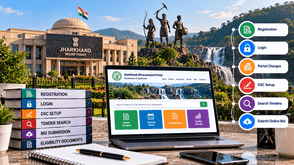
Jharkhand offers government tender opportunities for contractors, suppliers, manufacturers, and service providers across multiple sectors. These opportunities may include road construction, civil engineering, electrical works, equipment supply, healthcare, education, maintenance services, and other government procurement projects.
Businesses interested in participating in these opportunities should understand the Jharkhand eProcurement registration process, login procedure, Digital Signature Certificate (DSC) requirements, tender fees, and online bid submission process.
This guide explains how to register on the official Jharkhand eTender portal, find suitable government tenders, and submit bids while avoiding common mistakes.
What Is the Jharkhand eProcurement Portal?
The Jharkhand eProcurement portal is the official online platform used to publish government tender opportunities and facilitate electronic bidding.
The portal provides access to active tenders, tender closing dates, corrigendums, tender results, departmental procurement opportunities, and bidder registration facilities.
Contractors and suppliers can use the portal to search for relevant opportunities, download tender schedules, review eligibility conditions, and submit bids electronically.
The portal also provides contractor instructions, frequently asked questions, and bidder manuals to help users understand the online tendering process.
Documents Required for Jharkhand Tender Registration
Before registering, prepare your business information and supporting documents.
Depending on your business type and the tender requirements, you may need:
-
Business or company registration details
-
PAN card and applicable tax information
-
Valid email address and mobile number
-
Business address and contact information
-
Digital Signature Certificate (DSC)
-
GST registration details, where applicable
-
Contractor registration or license details, where required
-
Previous work orders and experience certificates, if applicable
-
Financial statements and turnover certificates, where required
-
Technical certificates and eligibility documents specified in the tender
The registration form may request additional information, such as company details, legal status, business category, contact person, and registration number.
Requirements vary according to the bidder category and the tender. Check the official portal and the specific tender documents before applying.
How to Register on the Jharkhand eProcurement Portal
Follow these steps to complete online bidder enrollment.
Step 1: Visit the Official Website
Open the official Jharkhand eProcurement portal:
Locate the Online Bidder Enrollment option on the homepage.
Step 2: Complete the Enrollment Form
Enter the information requested by the portal.
This may include your login ID, correspondence email, mobile number, company or license-holder details, registration number, address, PAN, and contact-person information.
Use a valid email address because the portal specifies that the login ID cannot be changed once registered.
Step 3: Verify Your Details
Review the information carefully before submitting the form. Incorrect contact or business details may cause difficulties during registration and future tender participation.
Complete any verification steps displayed by the portal.
Step 4: Log In to Your Account
After successful enrollment, use your registered login credentials to access the account.
Step 5: Register Your Digital Signature Certificate
According to the official contractor instructions, bidders must complete DSC enrollment using an e-token after logging in.
The portal's FAQ specifies a Class 3 DSC with a signing certificate for bidder enrollment. Always verify the current DSC requirements before purchasing or configuring a certificate.
Important: Online bidder enrollment and DSC enrollment are separate steps. Complete the required DSC setup before attempting to submit a bid.
Jharkhand eProcurement Login Process
Once registered, bidders can log in to the portal to access tender information and bidding facilities.
Follow these steps:
-
Visit the official Jharkhand eProcurement website.
-
Open the login section.
-
Enter your registered user ID and password.
-
Use your registered DSC when required by the portal.
-
Access the relevant tender and bidding sections.
If you cannot log in, verify your credentials, check the DSC configuration, and follow the portal's password recovery or troubleshooting instructions.
Keep your password and e-token secure. Do not share them with unauthorized individuals.
Jharkhand eProcurement Portal Charges and Tender Fees
Understanding tender-related charges is important before participating in a government tender.
The official Jharkhand eProcurement portal states that tender schedules can be downloaded free of cost. Its FAQ also states that NIC does not charge bidders for online enrollment while advising bidders to check the concerned organization's policy.
However, these statements do not mean that every tender is exempt from all charges.
Depending on the tender conditions, bidders may need to account for:
-
Tender fees, where applicable
-
Earnest Money Deposit (EMD), where required
-
Applicable portal or transaction charges, if specified
-
Digital Signature Certificate procurement or renewal costs
-
Other payments mentioned in the tender documents
How to Check the Applicable Charges
Before participating in a tender:
-
Open the relevant tender notice on the official portal.
-
Download and review the tender documents.
-
Check the tender fee and EMD requirements.
-
Review the payment method and deadline.
-
Check any exemption conditions applicable to your business.
-
Follow the payment instructions provided by the tendering authority.
The applicable amounts, exemptions, and refund conditions may vary. Always verify the latest information in the relevant tender documents.
Digital Signature Certificate (DSC) for Jharkhand Tenders
A digital signature certificate is used to authenticate electronic actions during the online tendering process.
The official Jharkhand eProcurement contractor instructions explain that bidders must enroll online and then register their digital signature using an e-token after logging in.
Before bidding, make sure that you:
-
Obtain a DSC that meets the portal's current requirements.
-
Complete the required DSC registration or mapping process.
-
Check that the certificate is valid and working.
-
Keep the registered e-token secure.
-
Use the registered certificate when required during bid submission.
-
Complete these checks well before the tender closing time.
The portal states that a DSC mapped to an account cannot be remapped to another account; it can only be inactivated. Therefore, take care when associating a certificate with your bidder account.
How to Find Jharkhand Government Tenders Online
The official portal provides several ways to explore tender opportunities.
Bidders can search active tenders and use available sections such as tenders by closing date, tenders by location, tenders by organization, tenders by classification, and tender status.
Follow these steps:
-
Visit the official Jharkhand eProcurement portal.
-
Open the Active Tenders or relevant search section.
-
Search by tender title, reference number, or keyword.
-
Review the department, location, and closing date.
-
Open the relevant tender notice.
-
Download and read the complete tender schedule.
-
Check eligibility criteria, fees, EMD, and technical requirements.
-
Review corrigendums or amendments before submitting your bid.
You should also check whether the tender has been cancelled, retendered, or amended.
Choose opportunities that match your business capabilities, experience, and eligibility.
How to Submit an Online Bid in Jharkhand
After identifying a suitable tender, prepare your bid according to the tender documents and the portal's instructions.
Step 1: Read the Tender Documents Carefully
Review the scope of work, eligibility conditions, technical specifications, financial criteria, payment requirements, and contract terms.
Step 2: Prepare Your Documents
Collect the certificates, work orders, financial records, declarations, and other supporting documents required for the tender.
The portal provides a My Documents facility where bidders can maintain documents and select relevant files for use during bid submission.
Step 3: Check the Tender Fee and EMD
Verify the applicable fees, EMD amount, payment method, and deadline.
Where the tender requires an original EMD document to be submitted physically, follow the specific instructions and deadline in the tender documents.
Step 4: Prepare the Technical Bid
Complete the required technical information and upload the supporting documents in the prescribed formats.
Ensure that all mandatory documents are included and readable.
Step 5: Complete the Financial Bid
Fill in the prescribed Bill of Quantities (BOQ) or financial bid template.
Do not modify or replace the original BOQ template. The official contractor instructions warn that modifying or replacing it may result in rejection. Enter information only in the permitted fields.
Step 6: Review and Digitally Sign the Bid
Check the uploaded documents, financial values, and other bid information. Use the registered DSC to complete the required authentication.
Review the latest corrigendums before final submission.
Step 7: Click the Freeze Bid Button
The official portal's contractor instructions state that bidders must click the Freeze Bid button to complete the bid submission process.
Bids that are not frozen are treated as incomplete or invalid and are not considered for evaluation.
Step 8: Save the Submission Acknowledgement
After successful submission, the portal displays a bid summary containing details such as the bid number and submission date and time.
Print or save this summary as proof of submission and retain it for future reference.
Important: Uploading files alone does not complete the process. Confirm that the bid has been successfully frozen and that the portal has generated the submission acknowledgement.
Common Mistakes to Avoid While Bidding
Contractors and suppliers should avoid these common mistakes:
-
Registering too close to the tender deadline
-
Failing to complete DSC enrolment
-
Using an expired or incorrectly configured DSC
-
Uploading incomplete or outdated documents
-
Ignoring tender eligibility conditions
-
Missing tender fee or EMD requirements
-
Modifying the prescribed BOQ template
-
Ignoring corrigendums and amendments
-
Uploading documents in unsupported or unreadable formats
-
Forgetting to click the Freeze Bid button
-
Failing to save the bid submission summary
Prepare a checklist for every tender and complete the technical checks well before the closing date.
How Tender Detail Helps Businesses Find Jharkhand Tenders
Searching through government tender notices and comparing opportunities manually can take considerable time. Businesses also need to identify tenders that match their products, services, experience and operational capabilities.
Tender Detail helps businesses discover government tender opportunities and access tender intelligence to support their research and bidding decisions.
With Tender Detail, contractors, suppliers, manufacturers and service providers can explore relevant tender opportunities and plan their bidding activities more effectively.
Businesses can also explore competitive bid analysis services to gain insights into tender competition and make more informed decisions.
Frequently Asked Questions
1. What is the official Jharkhand eProcurement portal?
The official portal is www.jharkhandtenders.gov.in. It provides access to government tender notices, bidder registration, corrigendums, tender results and online bidding facilities.
2. How can I register for Jharkhand government tenders?
Visit the official portal and select Online Bidder Enrollment. Complete the registration form and follow the instructions to enrol your DSC.
3. Is a DSC required for Jharkhand eTender registration?
The official portal's FAQ specifies a Class 3 DSC with a signing certificate for bidder enrolment. Check the latest portal instructions before obtaining or configuring your certificate.
4. Are Jharkhand tender documents free to download?
The official portal states that tender schedules can be downloaded free of cost. However, tender-specific fees, EMD or other applicable charges may still apply.
5. Does online bidder enrolment have a fee?
The portal's FAQ states that NIC does not charge bidders for online enrolment and advises checking the concerned organisation's policy. Verify any other applicable charges separately.
6. What is the Freeze Bid button?
Freeze Bid is the final submission step described in the official contractor instructions. A bid that has not been frozen is considered incomplete or invalid under those instructions.
7. Can I modify the BOQ template?
The official contractor instructions warn bidders not to modify or replace the prescribed BOQ template. Follow the permitted fields and the instructions provided with the tender.
8. How can I check Jharkhand tender closing dates?
Use the official portal's Active Tenders or Tenders by Closing Date sections. Always review the latest tender notice and corrigendums before submission.
9. What should I do if my bid is not submitting?
Check your login, DSC, uploaded documents, payment status and the portal's error messages. Ensure that you complete the final submission steps and click Freeze Bid. Contact the official support channel if the issue continues.
10. How can Tender Detail help contractors find tenders?
Tender Detail helps businesses discover government tender opportunities and access tender intelligence that supports tender research and competitive bid analysis.
Conclusion
Jharkhand government tenders offer opportunities for eligible contractors, suppliers, manufacturers and service providers across different sectors.
To participate effectively, complete bidder enrolment, configure your DSC, review the tender documents, verify the applicable fees and prepare your bid carefully.
Before the deadline, check all mandatory documents, review the latest corrigendums and make sure you complete the Freeze Bid process.
Tender Detail can help your business discover relevant tender opportunities and make more informed bidding decisions.
Tell us about your Product / Services,
We will Find Tenders for you