Chandigarh eTender Registration, Login & Portal Charges: Complete Guide -tender information
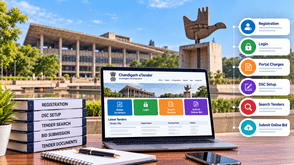
Businesses, contractors, suppliers, and service providers looking to participate in Chandigarh government tenders should understand the online tendering process before submitting a bid. The process involves bidder registration, login, Digital Signature Certificate (DSC) setup, tender document review, and online bid submission.
The official Chandigarh e-Procurement portal provides access to tender notices, closing dates, corrigendums, tender results, and other procurement information. Bidders can use the portal to identify relevant opportunities and submit bids according to the instructions issued for each tender.
In this guide, we explain how to register on the Chandigarh eTender portal, log in to your account, understand applicable charges, prepare your DSC, and complete the online bidding process.
What Is the Chandigarh eTender Portal?
The Chandigarh eTender portal is the official online platform for electronic tendering by participating Chandigarh UT Administration departments and organizations.
Official website: etenders.chd.nic.in
The portal provides several useful features, including:
- Latest active government tenders
- Tender search by ID, title, or reference number
- Tenders by closing date
- Tenders by location, organization, and classification
- Corrigendum and amendment updates
- Tender status and cancelled or retendered notices
- Tender results and archived tenders
- Bidder registration and login
- Help for contractors and DSC-related information
These features help bidders find opportunities, review updates, and understand the applicable tendering requirements.
Documents and Requirements for Chandigarh eTender Registration
Before starting registration, prepare the business details and documents that may be required for your bidder account and intended tender.
Depending on your organization and the tender requirements, you may need:
- Business or organization name and address
- Valid email address and mobile number
- PAN and other applicable identification details
- Business registration details, where applicable
- Details of the authorized signatory
- A compatible and valid Digital Signature Certificate (DSC)
- Financial statements or turnover documents, if required
- Experience certificates, work orders, or completion certificates, if required
- GST and other licenses or registrations, where applicable
- Declarations and supporting documents specified in the tender
Important: This is a general preparation checklist, not a complete official list of mandatory registration documents. Check the portal's current instructions and the individual tender requirements before proceeding.
How to Register on the Chandigarh eTender Portal
The official portal's contractor instructions tell bidders to complete online enrolment through the “Click Here to Enroll” option on the homepage. DSC enrolment is then completed after logging in.
Follow these steps:
Step 1: Open the Official Website
Visit the etenders.chd.nic.in
Make sure you are on the official website before entering business details or account credentials.
Step 2: Select Online Bidder Enrolment
Locate the Online Bidder Enrollment or Click Here to Enroll option on the homepage.
Open the registration form and review the information requested by the portal.
Step 3: Enter Your Details
Complete the form using accurate business, contact, and authorized-user information.
Check that the details are correct before submitting the form. Inaccurate information can create problems during account use or tender participation.
Step 4: Submit Your Registration
Complete the required fields and submit the enrollment form according to the portal's instructions.
Keep a record of your registered user ID and the relevant confirmation details.
Step 5: Log In to Your Account
After enrollment, access the portal using the user ID and password created during registration.
Step 6: Complete DSC Enrollment
After logging in, follow the portal's instructions to register your Digital Signature Certificate using the appropriate e-token.
The official contractor guidance describes online enrollment followed by DSC enrollment after login.
Tip: Complete registration and DSC setup well before the tender deadline. This gives you time to resolve account, certificate, or technical problems.
Chandigarh eTender Login: How to Access Your Account
Once your bidder account is registered, use the official portal's login option to access the available tendering features.
- Open the Chandigarh eTender portal.
- Select the login option.
- Enter your registered user ID and password.
- Complete the required DSC or authentication steps.
- Follow the portal's instructions to access your account.
Use the official password recovery or account-unblocking option if you cannot access your account.
Common Chandigarh eTender Login Problems
You may encounter login problems because of:
- Incorrect user ID or password
- Forgotten login credentials
- An expired or invalid DSC
- DSC token or driver issues
- Browser compatibility problems
- Incomplete DSC enrollment
- Temporary technical problems with the portal
Check the portal's help section and DSC instructions before attempting the process again.
The registered e-token should be used by the bidder and kept secure. The portal's contractor instructions also warn that a DSC mapped to an account cannot simply be remapped to another account; it can only be inactivated. Check the current official guidance before making account or certificate changes.
Chandigarh eTender Portal Charges and Tender Fees
Before participating in a government tender, bidders should understand the difference between downloading tender documents and making any required tender-related payments.
The official Chandigarh portal states that tender schedules can be downloaded free of cost. However, this does not establish that every tender-related fee or payment is waived.
1. Tender Document Download Charges
The portal states that tender schedules are available for download free of cost. Bidders should still review the relevant tender notice for any other applicable conditions or payments.
2. Tender Fee
Some tender notices may specify a tender fee or other payment requirements. The applicable amount and payment instructions should be checked in the individual tender documents.
Do not assume that every Chandigarh tender has the same fee.
3. Earnest Money Deposit (EMD)
An earnest money deposit may be required for a particular tender. The amount, permitted payment method and any applicable exemption conditions depend on the tender documents and relevant rules.
Before submitting your bid, check:
- Whether an EMD is required
- The specified amount
- The permitted payment method
- The payment deadline
- Whether any exemption applies to your business
- The instructions for refund or forfeiture, where relevant
4. Digital Signature Certificate Cost
A DSC may involve a separate cost charged by the issuing service provider. The price can depend on the certificate type, validity period and provider.
Check the current requirements on the official Chandigarh portal before purchasing a certificate.
How to Verify the Latest Charges
To avoid relying on outdated information:
- Visit the official Chandigarh eTender portal.
- Open the tender you want to participate in.
- Read the complete tender notice and supporting documents.
- Check the tender fee and EMD requirements.
- Review the payment instructions and deadlines.
- Contact the official helpdesk if any charge is unclear.
Important: Do not rely on an old blog post or an unverified fee amount when making a tender-related payment.
Chandigarh eTender DSC Registration and Setup
A Digital Signature Certificate (DSC) is used to digitally sign or authenticate electronic submissions. The Chandigarh portal's contractor instructions require bidders to complete DSC enrolment with an e-token after logging in.
Step 1: Check the DSC Requirements
Visit the portal's DSC information section and confirm the current certificate and technical requirements.
Step 2: Obtain a Suitable DSC
If you do not already have a compatible certificate, obtain one from an authorized certifying authority that meets the portal's requirements.
Step 3: Prepare Your Token and Software
Follow the issuing provider's instructions for preparing the e-token and installing any required drivers or supporting software.
Step 4: Log In to the Portal
Access your registered bidder account using your login credentials.
Step 5: Complete DSC Enrollment
Follow the portal's instructions to register your DSC with the account.
Step 6: Test Your DSC Before Bidding
Check that your certificate and token are working properly before you begin the final bid submission process.
Keep your DSC and credentials secure. Do not allow unauthorized people to use your digital signature.
Official resource: Chandigarh Portal — Help for Contractors
How to Find Chandigarh Government Tenders
The Chandigarh eTender portal provides several ways to discover tender opportunities, including searches by tender ID, title, reference number, closing date, location, organization, and classification.
Use the following process to identify suitable opportunities.
1. Search for Relevant Tenders
Search using keywords related to your products, services, industry, or area of expertise.
For example, businesses may look for opportunities related to:
- Construction and civil works
- Road maintenance and repair
- Electrical and mechanical works
- Equipment and material supply
- IT and software services
- Cleaning and facility management
- Consultancy and professional services
- Healthcare and medical supplies
These are examples of categories to explore, not a guarantee that a particular tender is currently available.
2. Check the Tender Details
Review the tender title, reference number, department, location, closing date, and bid-opening information.
3. Read the Eligibility Requirements
Check the required experience, financial qualifications, registrations, licences and other conditions before deciding to participate.
4. Download and Review the Documents
Read the technical specifications, terms and conditions, financial requirements and submission instructions carefully.
5. Check Corrigendums and Updates
Review any amendments, deadline extensions or other updates before submitting your bid. The official portal provides a section for corrigendums and tender status information.
How to Submit an Online Bid on Chandigarh eTender
The exact submission requirements depend on the tender and its configured workflow. The following steps provide a general preparation guide.
Step 1: Read the Complete Tender Notice
Understand the scope of work, eligibility criteria, technical specifications, financial conditions and submission deadlines.
Step 2: Prepare the Required Documents
Collect the certificates, declarations, experience documents and other files specified in the tender.
Check that all documents are complete, readable and valid where applicable.
Step 3: Prepare the Technical Bid
Complete the technical forms and upload the supporting documents in the format and sections specified by the portal.
Step 4: Prepare the Financial Bid
Enter prices and financial details according to the tender's instructions.
If the tender provides a prescribed financial template or BOQ, follow its instructions carefully. Do not modify protected templates or change their structure unless explicitly permitted.
Step 5: Check the Fee and EMD Requirements
Confirm whether any tender fee or EMD is applicable and complete the required payment according to the official instructions.
Retain payment acknowledgements for your records.
Step 6: Upload and Digitally Sign the Bid
Upload the documents to the appropriate sections and complete the required digital signing or authentication steps.
Step 7: Review and Submit
Before final submission, verify:
- All mandatory documents are uploaded
- Technical and financial information is accurate
- Required payments have been completed
- Your DSC is functioning correctly
- The submission deadline has not passed
Submit the bid according to the portal's instructions and verify that the system confirms successful submission.
Important: Uploading documents does not necessarily mean that your bid has been submitted successfully. Always check the final submission status and retain the acknowledgement or reference details.
Common Mistakes to Avoid When Submitting Chandigarh Tenders
Bidders should watch out for these common mistakes:
- Starting registration shortly before the deadline
- Entering incorrect account or business information
- Failing to complete DSC enrolment
- Using an expired or non-functioning DSC
- Ignoring tender-specific eligibility criteria
- Uploading incomplete or outdated certificates
- Entering incorrect financial details
- Missing an applicable tender fee or EMD
- Overlooking corrigendums or deadline extensions
- Failing to confirm successful bid submission
Reviewing the tender requirements in advance can help reduce avoidable submission errors.
How Tender Detail Helps You Find Chandigarh Tenders
Finding a suitable opportunity is the first step in the tendering process. Businesses must also assess eligibility, understand competition and organise the documentation required for bidding.
Tender Detail helps businesses discover government tender opportunities across India.
With Tender Detail, businesses can:
- Discover relevant government tenders
- Explore opportunities by location, category and available filters
- Identify tenders that align with their business activities
- Review tender information before deciding to participate
- Use competitive bid analysis to study available competition-related information
- Improve their tender research and bid preparation workflow
Tender Detail is a tender information and intelligence platform, not the official Chandigarh eTender portal. Registration, official bid submissions and payments must be completed through the appropriate official portal.
Explore Tender Detail to discover government tender opportunities across India.
Frequently Asked Questions About Chandigarh eTender
1. What is the official Chandigarh eTender website?
The official website is etenders.chd.nic.in. Bidders can use it to access tender information, register, log in and follow the applicable online bidding process.
2. How do I register on the Chandigarh eTender portal?
Open the official portal and select the Online Bidder Enrolment option. Complete the registration form, submit the required information, log in and follow the instructions to enrol your DSC.
3. How do I log in to Chandigarh eTender?
Open the official website, select the login option and enter your registered user ID and password. Complete any additional authentication or DSC steps required by the portal.
4. Is downloading Chandigarh tender documents free?
The official portal states that tender schedules can be downloaded free of cost. However, other tender-related charges, where applicable, must be checked in the relevant tender documents.
5. Are there any registration or portal charges?
Check the current official portal instructions to confirm whether any registration-related charges apply. Tender fees, EMD and DSC costs may be separate. Do not assume that every tender has identical payment requirements.
6. Is a DSC required for Chandigarh eTender?
The portal's contractor instructions require bidders to complete DSC enrolment with an e-token after logging in. Check the official DSC information section for current requirements.
7. Can a new business participate in Chandigarh government tenders?
A new business may participate if it meets the requirements of the relevant tender. Some tenders may require previous experience, minimum turnover, specific licences or other qualifications. Review the eligibility criteria before applying.
8. How can I check Chandigarh tender deadlines?
Use the official portal's tender search and closing-date features. Also review any corrigendums or deadline extensions before submitting your bid.
9. What should I do if my DSC is not working?
Check the certificate's validity, token connection, required software and portal instructions. If the issue continues, consult the portal's official DSC guidance or helpdesk.
10. Where can I find more Chandigarh government tenders?
You can search for opportunities on the official Chandigarh eTender portal and explore relevant government tender listings through Tender Detail.
Conclusion
The Chandigarh eTender portal helps businesses access government tender opportunities and participate in online procurement. To complete the process successfully, bidders should register in advance, configure their DSC, review tender documents and understand all applicable fees and eligibility conditions.
Before submitting a bid, check the latest tender updates, prepare the required documents and confirm that the portal has recorded your submission successfully.
For businesses looking to discover relevant government tender opportunities, Tender Detail can help organise tender research and support a more informed bidding process.
Tell us about your Product / Services,
We will Find Tenders for you