Bihar eProcurement Registration, Login & Tender Charges: Complete Guide -Eproc2 Bihar
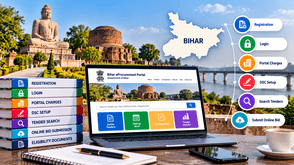
Bihar eProcurement provides an online platform for government tendering, enabling contractors, suppliers, vendors, and businesses to explore procurement opportunities and submit bids electronically. If you want to participate in Bihar government tenders, understanding the registration process, login requirements, tender charges, and online bid submission procedure is essential.
The Bihar Government's eProcurement 2.0 portal provides access to active tenders, upcoming tenders, corrigendums, and other tender-related information. This guide explains the key steps to help new and existing bidders navigate the process.
What Is the Bihar eProcurement Portal?
The Bihar eProcurement portal is an online system used for electronic tendering by government departments and participating organizations in Bihar. It helps eligible businesses access tender notices and submit their bids according to the requirements published by the tendering authority.
Official portal: eproc2.bihar.gov.in
Using the portal, bidders can explore:
-
Active Bihar government tenders
-
Upcoming tender opportunities
-
Tender notices and bid documents
-
Corrigendum and tender amendments
-
Tender submission deadlines
-
Technical and financial bid requirements
Bidders should always refer to the specific tender notice for eligibility conditions, required documents, fees, and submission instructions.
Documents Required for Bihar eProcurement Registration
Before starting the registration process, prepare the relevant business and contact information. The exact requirements may depend on the bidder category and the tender.
Commonly required details and documents may include:
-
Business or organization name
-
Name and contact details of the authorized representative
-
Valid email address and mobile number
-
Business address and relevant registration details
-
PAN and GST details, where applicable
-
Bank account information, where requested
-
Digital Signature Certificate (DSC)
-
Business experience and financial documents required for a particular tender
Keep scanned copies of relevant certificates and documents ready. Always check the registration form and individual tender documents for the exact requirements.
How to Register on Bihar eProcurement
Contractors and suppliers must complete the applicable registration process before participating in online tenders.
Follow these general steps:
Step 1: Visit the official portal.
Open the Bihar Government eProcurement portal at eproc2.bihar
Step 2: Open the registration section.
Select the registration option and follow the instructions provided on the portal. The eProcurement 2.0 system provides a bidder registration facility.
Step 3: Enter your details.
Provide the requested personal, business, and contact information accurately. Use an active email address and mobile number so you can receive relevant communications.
Step 4: Complete the required registration fields.
Enter the information requested by the portal and complete any applicable verification or supporting steps.
Step 5: Review your information.
Check your business details, contact information, and other entries carefully before submitting the form.
Step 6: Follow the portal's next steps.
Complete any additional instructions shown by the system, including the required Digital Signature Certificate setup.
Registration requirements and screen layouts can change. Follow the instructions displayed on the official Bihar eProcurement 2.0 portal.
Bihar eProcurement Login Process
After completing registration, use your registered credentials to access the portal.
-
Visit the official Bihar eProcurement website.
-
Select the appropriate login option.
-
Enter your registered login credentials.
-
Complete any required DSC or authentication steps.
-
Open the relevant tender section and review the available opportunities.
If you cannot log in, verify your credentials, check whether the required DSC or software component is working correctly, and follow the official portal's troubleshooting instructions.
For registration or technical assistance, the portal lists the following help desk details:
-
Toll-free number: 1800 572 6571
-
Email: [email protected]
Check the official portal for the latest help desk timings and instructions.
Bihar Tender Charges, Tender Fees, and EMD
Tender charges are an important consideration when preparing a bid. However, there is no single fee amount that should be assumed to apply to every Bihar government tender.
Depending on the tender notice, bidders may need to account for the following:
1. Tender document fee
Some tenders specify a fee for the tender document. The amount and payment requirements, if applicable, are stated in the tender notice.
2. Tender processing fee
A tender may include a processing fee. Check the prescribed amount and permitted payment method in the official tender documents.
3. Earnest Money Deposit (EMD)
EMD is a bid security requirement where specified. The amount, accepted payment method, and any applicable exemption conditions depend on the tender and relevant rules.
4. Digital Signature Certificate cost
A bidder may need to obtain or renew a suitable DSC. The cost of obtaining the certificate depends on the service provider and certificate requirements.
5. Other applicable expenses
Businesses should also consider the cost of preparing technical documents, arranging certificates, and meeting any tender-specific compliance requirements.
How to Check Tender Charges
Before submitting a bid:
-
Open the relevant tender notice on the official portal.
-
Download and read the tender documents.
-
Locate the tender fee, processing fee, and EMD details.
-
Check payment instructions, deadlines, and exemption conditions.
-
Confirm that all required payments have been completed correctly.
Never assume that registration, tender participation, or every tender document is free. Follow the conditions specified in the particular tender.
Digital Signature Certificate (DSC) for Bihar Tenders
A digital signature certificate is an important requirement for electronic tendering. Bihar eProcurement tender instructions specify the need for an appropriate DSC and registered user account for participation in applicable tenders.
Before bidding, check the following:
-
Whether your DSC meets the tender portal's current requirements
-
Whether the certificate is valid and has not expired
-
Whether the required signing and encryption capabilities are available
-
Whether the DSC is configured correctly for the portal
-
Whether the required software or authentication component is installed and working
If you are applying for a new DSC, obtain it from an authorized certifying authority. If you already have a DSC, verify that it meets the current requirements before purchasing another one.
How to Search Bihar Government Tenders
Finding suitable opportunities is an important part of the tendering process. Contractors and suppliers should focus on tenders that match their products, services, experience, and eligibility.
Follow these steps:
Step 1: Open the official Bihar eProcurement portal.
Step 2: Navigate to the tender listing section.
Step 3: Search using relevant keywords, tender reference numbers, or other available filters.
Step 4: Review the department, tender title, estimated value where published, important dates, and eligibility conditions.
Step 5: Download the tender documents and examine the scope of work, technical specifications, and submission requirements.
Step 6: Check whether a corrigendum or amendment has been issued before preparing your bid.
The official portal provides tender listing categories such as latest tenders, upcoming tenders, cancelled tenders, tenders with corrigendum, and past tenders.
How to Submit an Online Bid in Bihar
Online bid submission requires careful preparation and compliance with the tender's instructions. Missing documents or incorrect financial information may lead to rejection.
Step 1: Read the complete tender document.
Review the eligibility criteria, scope of work, technical specifications, required certificates, payment conditions, and bid deadlines.
Step 2: Prepare the technical bid.
Collect the documents requested by the tendering authority. These may include business registrations, experience certificates, financial records, declarations, and technical specifications, depending on the tender.
Step 3: Prepare the financial bid
Enter prices and other financial information in the prescribed format. Follow the tender's instructions and do not alter protected or prescribed templates unless explicitly permitted.
Step 4: Arrange the required fees and EMD.
Check the payment instructions and complete the required payments or approved security arrangements within the prescribed time.
Step 5: Upload the documents
Upload each document to the correct section of the portal. Check that the files are readable, complete, and consistent with the information entered in the forms.
Step 6: Complete the digital signing process.
Use the required DSC and follow the portal's submission procedure.
Step 7: Submit the bid before the deadline.
Review all entries and submit the bid within the specified date and time. Confirm that the portal shows a successful submission or the appropriate acknowledgement.
Do not wait until the last few minutes. Internet issues, payment delays, file errors, or technical problems may prevent timely submission.
Common Mistakes to Avoid When Bidding
Contractors can reduce avoidable errors by following a consistent checklist.
-
Ignoring eligibility criteria: Check the experience, turnover, registration, and technical requirements before starting.
-
Missing important dates: Note the bid submission deadline, pre-bid meeting, and other tender milestones.
-
Overlooking corrigendums: Recheck the portal for amendments or revised deadlines.
-
Uploading incorrect documents: Ensure every file matches the requirement and is uploaded to the correct section.
-
Using an expired or unsuitable DSC: Verify the certificate before beginning the bid process.
-
Entering incorrect financial details: Review prices, units, taxes and the prescribed financial format carefully.
-
Missing payment requirements: Confirm the fee, EMD and payment status specified in the tender.
-
Submitting at the last minute: Allow enough time to resolve technical or payment issues.
A final review of the tender notice and all amendments can help reduce mistakes before submission.
How Tender Detail Helps You Find Bihar Tenders
Tender Detail helps contractors, vendors, suppliers and businesses discover tender opportunities relevant to their work. Instead of relying only on manual searches across different sources, businesses can use tender discovery and intelligence features to support their research.
With Tender Detail, users can explore relevant tender opportunities and use available information to support their bidding decisions.
Key benefits include:
-
Tender Search: Discover government tender opportunities relevant to your business category.
-
Tender Information: Review available tender details to identify potentially suitable opportunities.
-
Competitive Bid Analysis: Use available bid intelligence and analysis services to understand bidder participation, bid comparisons and other relevant insights where data is available.
-
Tender Documentation Support: Get assistance with understanding and preparing the documents required for the bidding process.
-
Better Bid Planning: Organise tender research and review requirements before committing time and resources to a bid.
Tender Detail complements the official procurement process. Always verify the final tender notice, eligibility requirements, fees, amendments and submission status on the relevant official portal.
Frequently Asked Questions (FAQs)
1. What is the official Bihar eProcurement portal?
The official Bihar Government eProcurement 2.0 portal is eproc2.bihar.gov.in
2. How can I register for Bihar government tenders?
Visit the official portal, open the registration section and complete the applicable bidder registration process. Follow the portal's instructions for any additional verification and DSC setup.
3. How do I log in to Bihar eProcurement?
Open the official portal and use your registered login credentials. Complete any additional authentication or DSC steps required by the system.
4. What documents are required for Bihar tender registration?
Requirements vary. Common details include business information, contact details and relevant registration documents. A suitable DSC and tender-specific supporting documents may also be required.
5. What are the tender charges in Bihar?
Tender charges vary by tender. Check the tender notice for the document fee, processing fee, EMD and applicable payment conditions.
6. Is EMD required for every Bihar tender?
Not necessarily. EMD requirements and any applicable exemptions depend on the specific tender and relevant rules. Check the official tender documents before bidding.
7. Is a DSC required for Bihar eProcurement?
An appropriate Digital Signature Certificate is required for participation in applicable online tendering processes. Confirm the current certificate requirements on the official portal and in the tender notice.
8. How can I find active Bihar government tenders?
Use the official portal's tender listing and search facilities. Review the tender details, deadlines and eligibility conditions before deciding to participate.
9. Can I submit a Bihar eProcurement bid offline?
For tenders published for online submission through the portal, bidders must follow the prescribed electronic submission process. Check the individual tender notice for the applicable procedure.
10. Where can I get help with Bihar eProcurement?
The official portal lists the help desk number 1800 572 6571 and email [email protected]. Verify the latest support information on the portal.
Conclusion
Bihar eProcurement provides an online route for contractors, vendors and suppliers to explore government procurement opportunities and submit bids electronically. To participate effectively, complete the required registration, configure your DSC, review tender charges, prepare accurate documents and submit your bid before the deadline.
Careful tender research and compliance with the official instructions can help businesses avoid common bidding errors. Tender Detail can support your tender discovery and intelligence workflow, while the official Bihar eProcurement portal remains the place to verify tender conditions and complete the required submission process.
Tell us about your Product / Services,
We will Find Tenders for you